
- Added new marksheet creation settings
- Added backup and restore functions
- Partial points can now be awarded for multiple answers
- Added an exact match option for label filtering
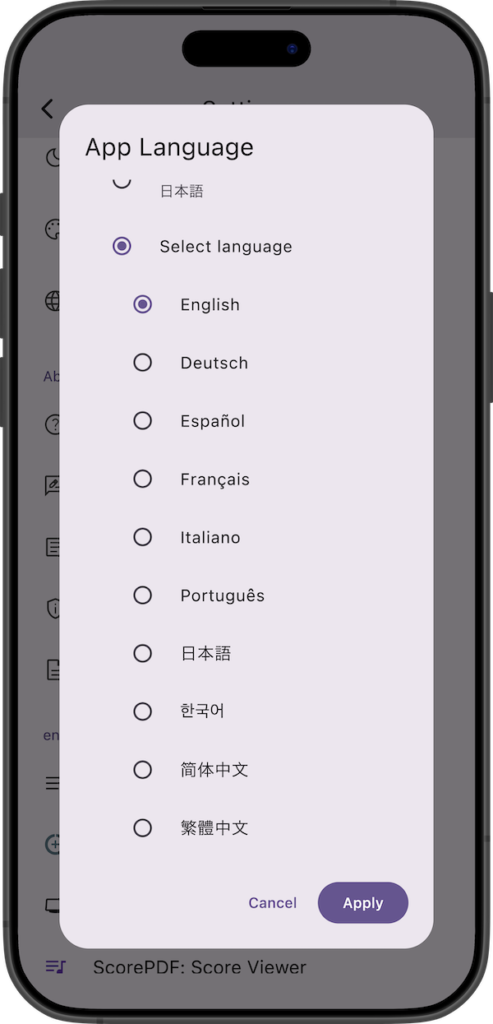
- Supported German, Spanish, French, Italian, Portuguese, Korean, and Chinese (Simplified/Traditional)
- Added a feature to select the app language

Details of Key Updates
New Marksheet Settings
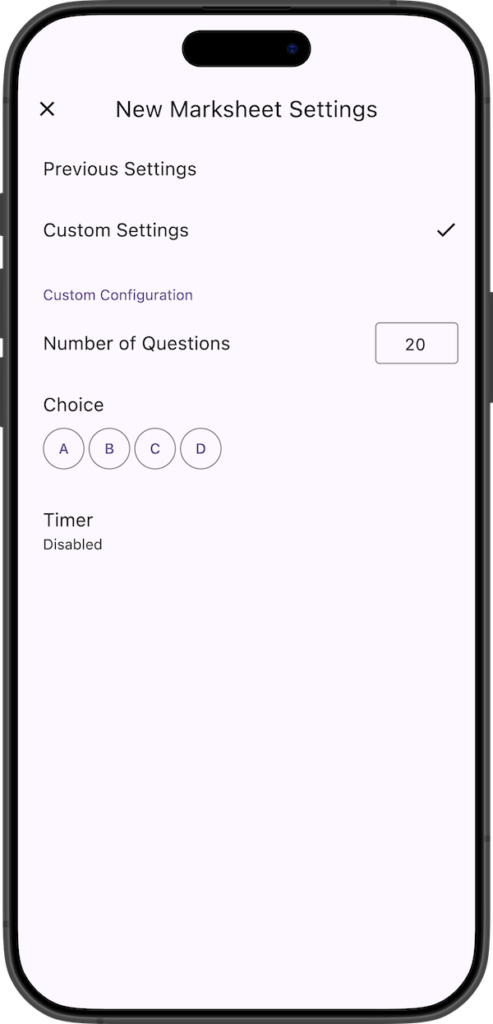
Added “New Marksheet Settings” to the settings screen.
When creating a new marksheet, you can now configure the initial settings for the number of questions, choices, and timer. You can choose to inherit the settings from the last time you created a sheet (“Previous Settings”) or use specific settings defined in the configuration (“Custom Settings”).
Backup and Restore Functions
Added data backup and restore functions.
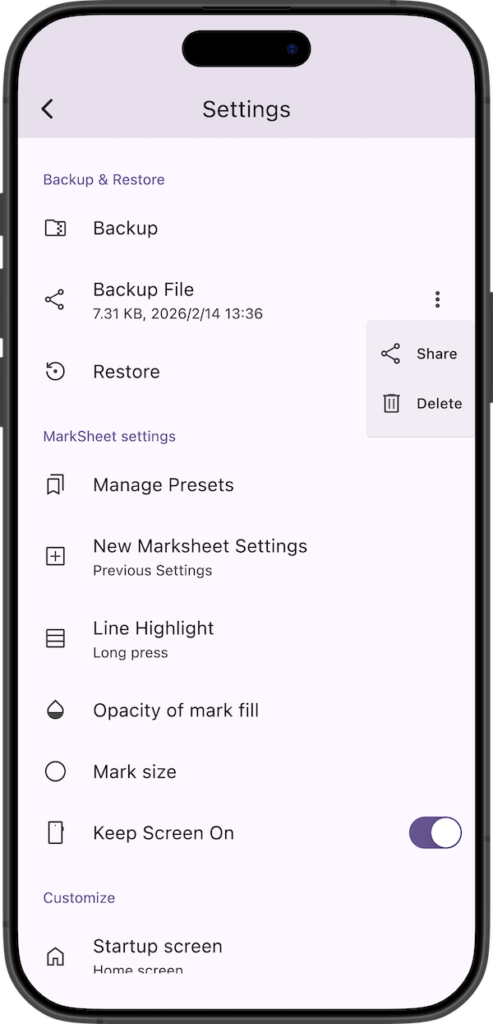
Tapping “Backup” on the settings screen starts the creation of a backup file (ZIP format).
Once created, a share screen will appear, allowing you to save this backup file by sharing it to other apps or services.
Once a backup is created, you can share it anytime from the “Backup File” section at the bottom of the settings screen. Also, since this backup file is saved in the app’s internal folder, you can delete it from the menu on the right if it is no longer needed. Please note that if you delete the app, this backup file will also be deleted.
Tapping “Restore” and selecting a backup file (.zip) will start the restoration.
Since all current data will be overwritten after restoration, please create a backup beforehand if necessary.
Partial Points for Multiple Answers
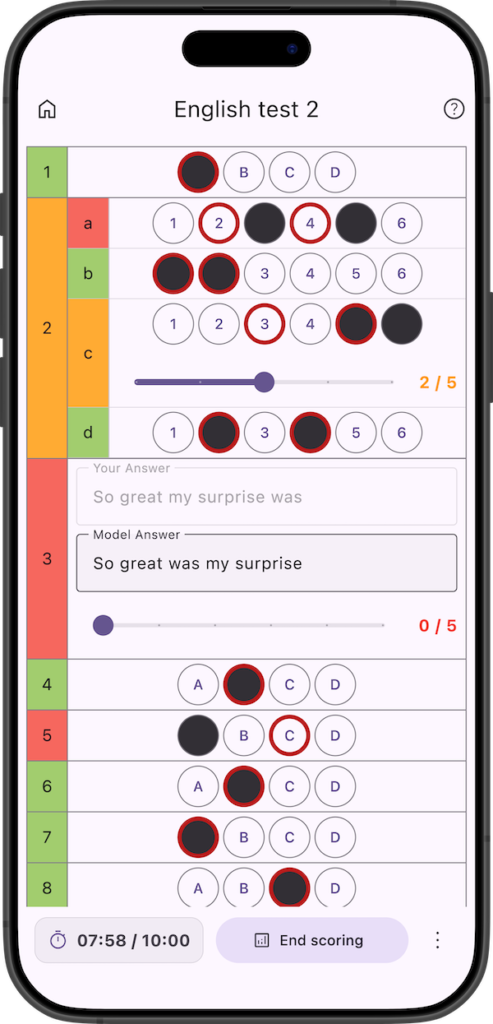
You can now award partial points for multiple answers, similar to descriptive questions.
In the case of multiple answers, if the answer only partially matches the correct answer, a slider will appear allowing you to assign a score between 0 and (Allocated Points – 1). (The slider will not appear if the allocated point is 1).
Exact Match for Labels
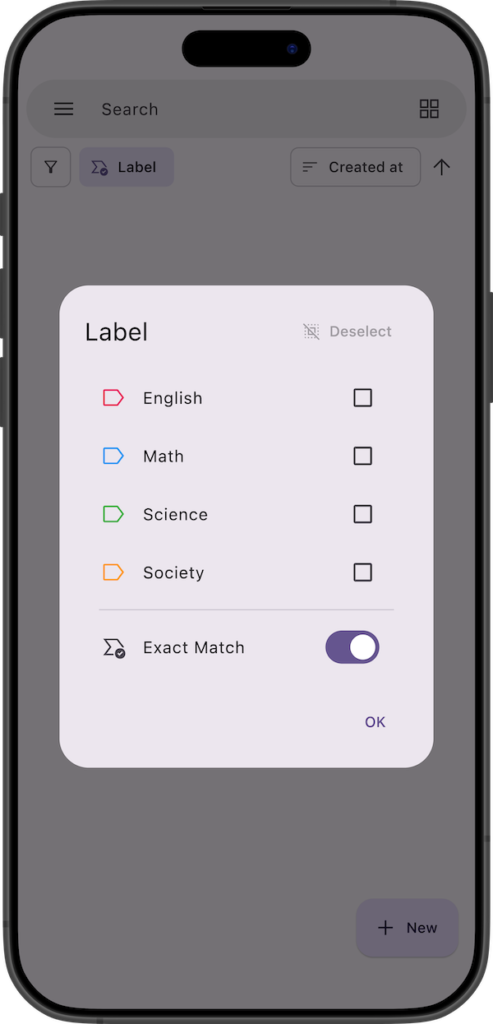
Added an “Exact Match” option for label filtering.
For example, if you turn on “Exact Match” while no labels are selected, only sheets with no labels attached will be displayed.
App Language
In addition to the existing Japanese and English, we now support German, Spanish, French, Italian, Portuguese, Korean, and Chinese (Simplified/Traditional).
Previously, the app language was displayed based on the system language, but now you can select any preferred language.
You can change the display language from the app settings.
Note that if “System Language” is selected and your system language is not supported, the app will be displayed in English.
If you encounter any bugs or have suggestions for improvements, please contact us using the inquiry form below.